How to Swap Crypto Without KYC
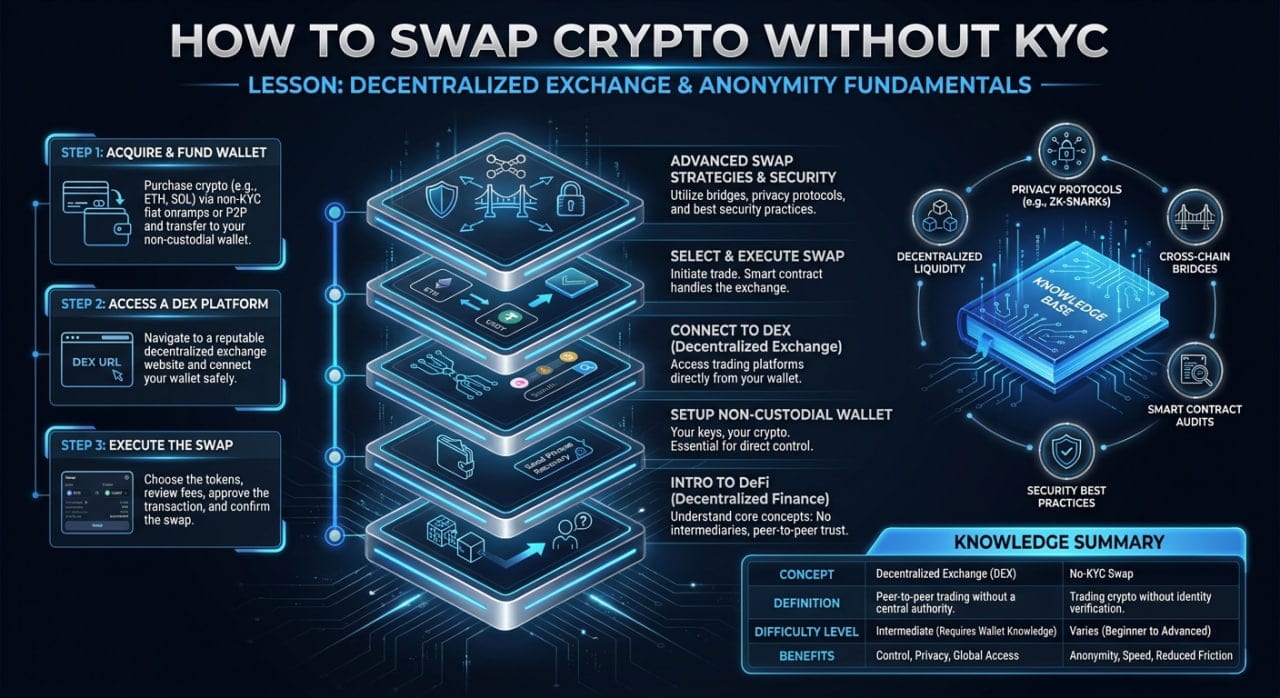
If you want to know how to swap crypto without KYC, the process involves using a non-custodial exchange where you send funds directly from your private wallet and receive the swapped asset at a new address. You do not need to create an account, upload an ID, or hand over control of your private keys. This guide walks you through the exact mechanics of executing your first anonymous trade safely.
The Basics of How to Swap Crypto Without KYC
Centralized exchanges require personal data and take custody of your funds before you can trade. Non-custodial platforms operate entirely differently. Services like MistySwap act only as a routing mechanism between your wallet and decentralized liquidity pools.
You never deposit funds into a user account. Instead, you initiate a single, isolated transaction. You send your starting coin to a temporary address, the platform routes it, and then sends the requested coin back to a wallet you control. If you want to understand the technical routing behind the scenes, you can read more about how the swap process works.
Because there are no user accounts, there are no withdrawal limits or frozen accounts. The trade executes via smart contracts and automated backend scripts. As long as you control your own private keys, you retain complete authority over your assets before and after the trade.
Step-by-Step: How to Swap Crypto Without KYC
To execute a non-custodial swap, follow this standard sequence:
- Select the cryptocurrency you want to send and the one you want to receive.
- Enter your personal receiving wallet address for the new coin.
- Copy the unique, temporary deposit address generated by the swap platform.
- Send your exact funds from your self-custody wallet to that deposit address.
- Wait for the required network confirmations while the platform processes the exchange.
- Receive the swapped cryptocurrency directly in your receiving wallet.
A Click-by-Click Walkthrough of Your First Trade
First-time users often feel intimidated by non-custodial swaps because the interface looks different from a traditional exchange. Understanding exactly what happens at each stage removes the guesswork.
1. Initiating the Swap
Start by choosing your trading pair. For example, if you want to swap BTC to ETH, select Bitcoin as the "Send" currency and Ethereum as the "Receive" currency. Enter the amount you wish to trade. The platform will display an estimated output based on current market rates.
2. Entering Your Receiving Address
The platform needs to know where to send your new coins. You must provide a valid address for the receiving blockchain. Never use a centralized exchange deposit address here, as they often fail to credit deposits sent from smart contracts. Always use an address generated by a self-custody wallet like Trezor, Ledger, or Electrum.
3. Understanding the Deposit Address
Once you confirm the pair and receiving address, the platform generates a "deposit address." This is a temporary, single-use address created exclusively for your specific trade. You must open your own crypto wallet, paste this deposit address into the "Send" field, and broadcast the transaction. Always verify the first and last four characters of the address to ensure clipboard-hijacking malware hasn't altered it.
4. Network Confirmations and Browser Panics
After you broadcast your transaction, the blockchain takes time to process it. Bitcoin, for instance, might sit in the mempool for 10 to 30 minutes before a miner includes it in a block. Beginners often panic here, wondering what happens if their computer goes to sleep or they accidentally close the browser tab.
Closing your browser does not cancel or break the trade. The swap is tied to the blockchain transaction and the unique deposit address, not your web session. The platform's servers monitor the blockchain independently of your computer.
5. Receiving the Funds
Once your deposit receives the required network confirmations, the platform executes the trade. It then broadcasts a new transaction, sending the swapped coins to the receiving address you provided in step two. The swap page will update to "Completed" and provide a transaction hash (TXID). You can paste this TXID into a block explorer to verify the final payout on the blockchain.
Privacy and Security Best Practices
To maintain your privacy, never reuse wallet addresses. If you buy a stablecoin and swap BTC to USDT, generate a fresh receiving address in your wallet for that specific transaction. Address reuse links your transaction history together on public ledgers, allowing blockchain analytics firms to cluster your activity.
Consider routing your internet connection through a reputable VPN or the Tor network when accessing swap sites. This masks your IP address from the platform's web servers. While non-custodial platforms do not require KYC, web servers inherently log IP addresses unless you take steps to obscure your origin.
Pay attention to network congestion and miner fees. When you send funds to the deposit address, you pay the network fee for that blockchain. The platform pays the network fee to send the swapped funds to you, which is factored into the exchange rate. Understanding how fees work ensures you do not accidentally spend more on network gas than the value of your actual trade.
Finally, always double-check the URL of the swap service. Phishing sites mimic legitimate non-custodial exchanges perfectly. If you use a fake site, the deposit address they generate will simply route your funds directly to a scammer's wallet, and the transaction cannot be reversed.
FAQ
What happens if I close my browser during a swap?
Nothing interrupts your trade. The swap processes on the backend servers based on blockchain confirmations, not your active web session. You can safely close the tab, and the funds will still arrive in your receiving wallet.
Do I need to connect my wallet to swap?
No, true non-custodial swaps do not require you to connect a wallet via MetaMask or WalletConnect. You simply copy the deposit address and send the funds manually from your wallet interface, which protects you from malicious smart contract approvals.
Why is my swap taking so long?
Swap speeds depend entirely on the underlying blockchain networks. If you are sending Bitcoin, you must wait for miners to confirm the block, which averages 10 minutes but can take much longer during periods of high network congestion.
What happens if I send the wrong amount?
Most modern swap platforms automatically adjust the final payout if you send slightly more or less than you initially typed. However, sending an amount below the platform's minimum threshold usually results in a failed swap, requiring you to contact support with your transaction hash for a refund.
Can I swap between different blockchains?
Yes, non-custodial platforms specialize in cross-chain swaps. You can easily send a coin on the Bitcoin network and receive a completely different asset on the Ethereum or Monero network in a single transaction.
Informational only — not financial, legal, or tax advice.