How to Detect Crypto Clipboard Malware
You can detect crypto clipboard malware by manually verifying the characters of a wallet address after pasting it, ensuring it perfectly matches your intended destination. This malicious software runs silently in the background, monitoring your system for copied cryptocurrency addresses and instantly replacing them with an attacker's address. Developing strict verification habits is the only reliable way to prevent sending your funds to a hijacked destination.
The Mechanics of Crypto Clipboard Malware
When you copy a string of text, your operating system stores it in a temporary memory buffer called the clipboard. Malware monitors this buffer for specific text patterns, such as a Bitcoin address starting with bc1q or an Ethereum address starting with 0x. The moment you hit "copy," the software intercepts the action and swaps your intended address with one controlled by the attacker. When you paste the address into your wallet or exchange withdrawal field, the attacker's address appears instead.
Because the swap happens instantly and without any error messages, it is entirely invisible to the user. Victims who do not double-check the pasted text end up broadcasting irreversible transactions to the wrong destination.
How to Check for Clipboard Hijacking
Relying on memory or a quick glance is no longer enough to secure your transactions. Attackers now utilize "vanity addresses" that match the first and last few characters of the address you intended to copy. To guarantee your funds reach the right place, follow a strict verification routine every time you transact.
- Copy the intended cryptocurrency address from your source.
- Paste the address into a blank text document before pasting it into your wallet.
- Compare the first six and last six characters of the pasted address against the original source.
- Check a random cluster of characters in the middle of the address.
- If the characters do not match perfectly, cancel the transaction and run a malware scan immediately.
Why Hardware Wallet Screens Are Your Last Line of Defense
If your computer is compromised, you cannot trust anything displayed on its monitor. Advanced malware can even alter the visual display of an address inside a web browser or software wallet interface to hide the fact that a swap occurred. This is why hardware wallets are mandatory for serious self-custody users. When you initiate a transaction, the hardware wallet receives the raw transaction data and displays the destination address on its physical screen.
You must verify the address on the device screen against your original source, not against your computer monitor. If the address on the hardware device differs from what you intended, your computer is likely infected. Reject the transaction on the physical device immediately.
Safe Practices for Non-Custodial Swaps
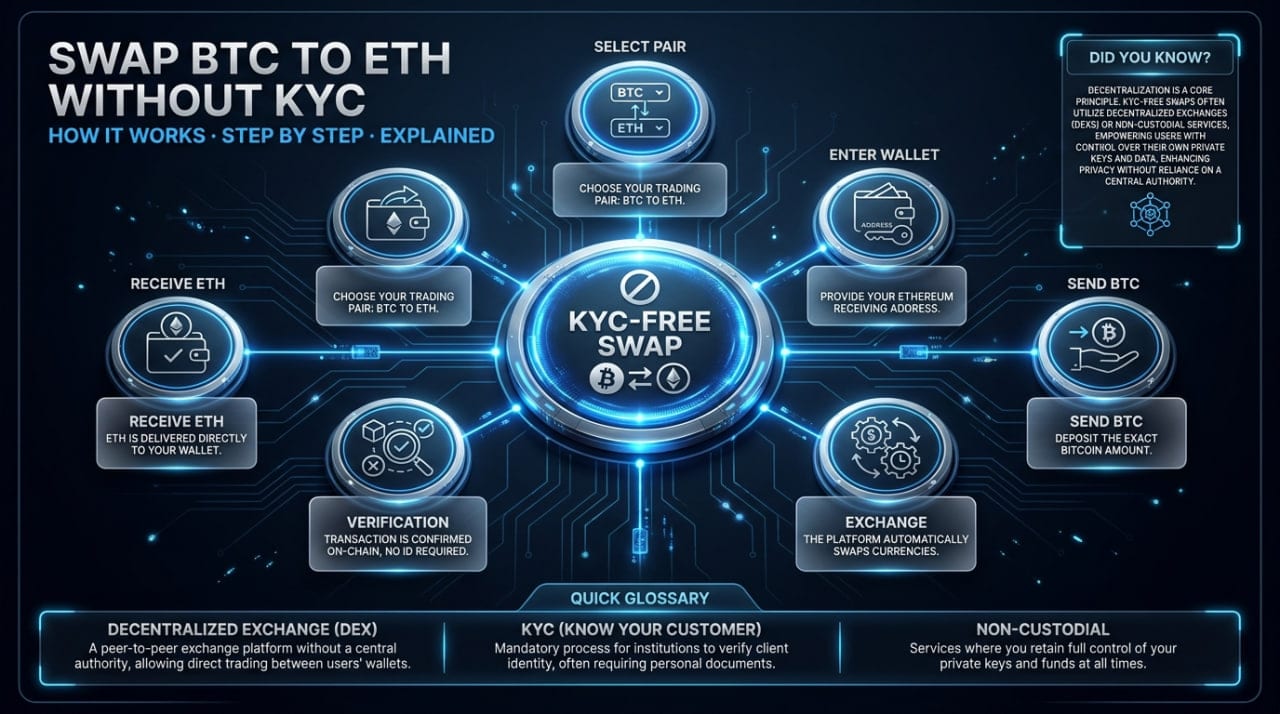
Address verification is especially critical when using decentralized or non-custodial services. For example, if you want to swap BTC to ETH using a No-KYC platform like MistySwap, you must handle two different addresses. First, you provide your personal Ethereum receiving address. Second, the platform generates a unique Bitcoin deposit address for you to fund the trade.
Understanding how the swap process works means recognizing that a clipboard hijacker could swap either of these addresses. If they swap your receiving address, the platform will send the swapped asset directly to the attacker. If they swap the deposit address, you will send your initial funds to the attacker instead of the swap provider.
Removing Crypto Clipboard Malware from Your Device
If you catch a mismatched address during your verification routine, assume your entire operating system is compromised. Do not proceed with any cryptocurrency transactions on that device. Disconnect the machine from the internet to prevent the malware from communicating with its command server or exfiltrating other data. Run a comprehensive scan using dedicated anti-malware software, as standard antivirus programs often miss specialized crypto stealers.
For absolute certainty, the safest remediation is to completely wipe the storage drive. Reinstalling the operating system from scratch ensures no hidden remnants of the malware survive.
FAQ
Can clipboard malware steal my private keys?
Clipboard malware specifically targets copied text, so it will only steal your private keys or seed phrase if you copy them to your clipboard. You should never type, copy, or store your seed phrase on a digital device. Keep your recovery phrases strictly on physical paper or stamped in metal.
Does clipboard malware affect mobile phones?
Yes, clipboard hijackers exist on both Android and iOS devices. Malicious apps often request broad permissions, allowing them to read your mobile clipboard in the background. Always verify addresses on your phone just as rigorously as you would on a desktop computer.
Why do the fake addresses look so similar to mine?
Attackers use automated scripts to generate millions of addresses in advance, known as vanity addresses. When you copy an address, the malware quickly searches its database for a fake address that shares the same starting and ending characters. This tricks users who only check the first and last few letters before hitting send.
Will a test transaction protect me from clipboard malware?
A test transaction only proves that the address you pasted works, not that it belongs to you. If the malware swapped the address, your test transaction will simply send a small amount of crypto to the attacker. You still must manually verify the characters of the address to ensure it is the correct destination.
Informational only — not financial, legal, or tax advice.