Can a Website Drain Your Crypto Wallet?
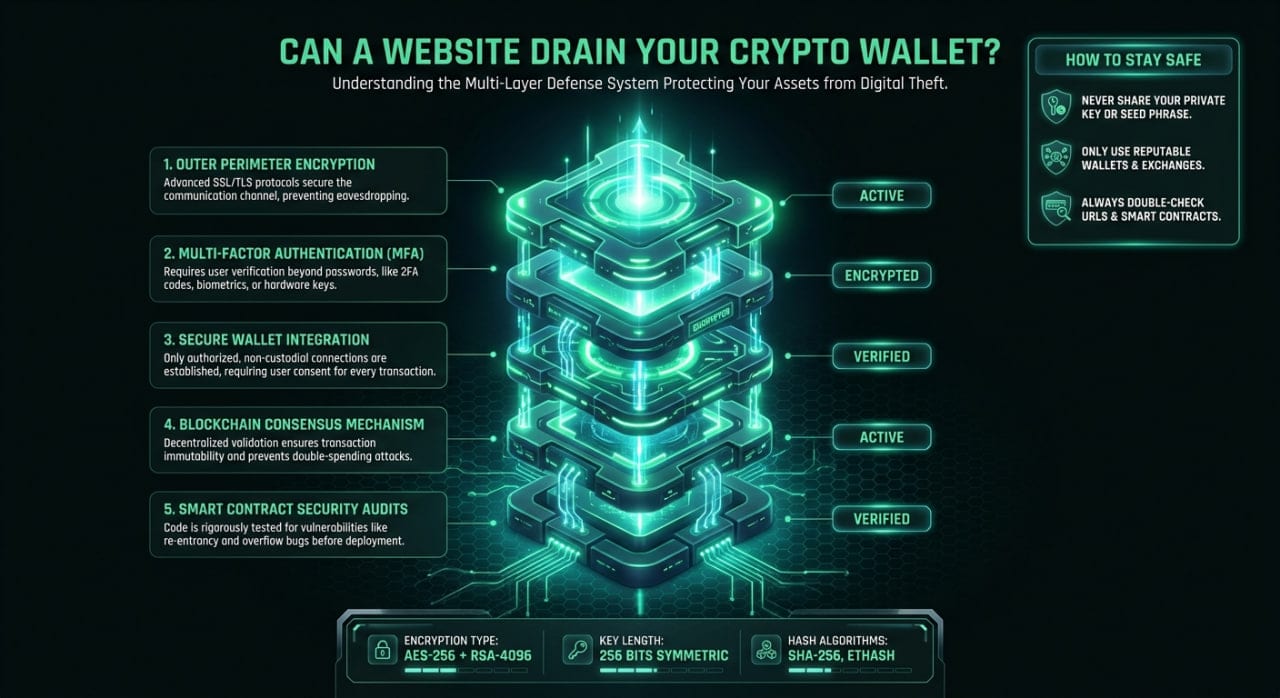
If you are wondering, "can a website drain your crypto wallet," the short answer is yes, but not simply by visiting the page or clicking "connect." A website can only steal your funds if you actively approve a malicious transaction or sign a harmful smart contract request. Understanding the strict boundary between sharing your public address and handing over control of your assets is the key to staying safe in Web3.
How Can a Website Drain Your Crypto Wallet?
To understand the risk, you need to know how Web3 wallets interact with decentralized applications (dApps). When you click "Connect Wallet," you are only granting the website read-only access to your public address and token balances. This step alone cannot move your funds. The actual danger begins when a website prompts your wallet to execute a transaction.
Wallet drainers succeed by tricking you into signing a payload that gives their smart contract permission to move your tokens. The website interface might say "Verify your identity" or "Claim Airdrop," but the underlying code is asking your wallet for authorization to transfer your assets. If you click "Confirm" or "Sign" without reading the raw transaction data, the malicious contract executes the transfer instantly.
The Danger of Token Approvals and Signatures
Most wallet drains exploit the ERC-20 token approval standard. When you interact with a legitimate decentralized exchange, you must approve the router contract to spend your tokens before you can trade. Malicious websites abuse this exact mechanism by requesting an "infinite approval" for your tokens. Once you grant this approval, the attacker can drain that specific token at any time, even if you disconnect your wallet from the site.
Another common attack vector involves blind signing, specifically using the eth_sign method. This legacy signing method presents a confusing string of hexadecimal characters instead of human-readable text. Scammers use this to hide malicious instructions, such as transferring ownership of your NFTs or authorizing a massive withdrawal. Modern wallets often flag or block eth_sign requests, but attackers constantly adapt their methods to bypass these warnings.
Checklist: How to Protect Your Funds Before You Sign
Before you confirm any transaction in MetaMask, Rabby, or Trust Wallet, follow these steps to verify the request:
- Read the transaction type: Ensure the prompt says "Swap" or "Transfer" rather than "SetApprovalForAll" if you are just trying to move a single asset.
- Check the spending cap: Never grant infinite approvals; manually edit the spending limit to the exact amount you intend to trade.
- Verify the domain name: Check the URL character by character to ensure you are not on a typo-squatted phishing site.
- Look for blind signing warnings: Reject any signature request that displays raw hex code instead of clear, human-readable transaction details.
- Use a hardware wallet: Require a physical button press on a Ledger or Trezor device to authorize any outgoing transaction.
Can a Website Drain Your Crypto Wallet Just by Connecting?
Many users panic after connecting to a suspicious site, fearing their funds are already gone. Fortunately, simply connecting your wallet to a website does not give it the cryptographic keys required to authorize transactions. The site can see your balance and transaction history, but it cannot initiate a transfer without your explicit signature. If you realize a site is sketchy right after connecting, simply disconnect your wallet and leave.
If you prefer to avoid Web3 wallet connections entirely, you can use non-custodial services that rely on manual transactions. For example, when you use MistySwap, you never connect your wallet to the platform. Understanding how the swap process works reveals a simpler security model: you generate a trade, send your funds to a one-time deposit address, and receive the swapped asset directly to your receiving address. This eliminates the risk of smart contract approvals entirely.
Revoking Access if You Made a Mistake
If you suspect you signed a malicious approval, you must act quickly to revoke the smart contract's access to your tokens. Disconnecting your wallet from the website interface is not enough, as the approval lives on the blockchain. You need to use a blockchain explorer or a dedicated tool like Revoke.cash to remove the permissions.
Connect your wallet to the revocation tool, locate the suspicious contract approval, and initiate a revoke transaction. This will cost a small network fee, but it immediately strips the attacker's ability to drain your remaining tokens. Regular users should audit their active token approvals every few months to minimize their attack surface.
FAQ
What happens when I connect my wallet to a website?
Connecting your wallet simply shares your public address with the website. This allows the site to view your token balances and suggest transactions. It does not give the website access to your private keys or the ability to move your funds.
Can someone steal my crypto with just my public address?
No, your public address is designed to be shared openly so others can send you funds. An attacker cannot steal your cryptocurrency using only your public address. They need your private key, seed phrase, or a cryptographic signature from your wallet to authorize a withdrawal.
How do wallet drainers actually work?
Wallet drainers are malicious scripts hosted on phishing sites that prompt your wallet with deceptive transaction requests. They trick you into signing a token approval or a direct transfer by disguising the prompt as a harmless action, like verifying your wallet or claiming a reward.
Is it safer to use manual deposits instead of connecting a wallet?
Yes, manual deposits eliminate smart contract risk. When you want to swap BTC to ETH, sending Bitcoin directly to a generated deposit address means you never grant a third-party contract permission to access your wallet balances.
Informational only — not financial, legal, or tax advice.