TRC20 Transfer Failed Out of Energy Fixes
When your Tron network transaction reverts with a "TRC20 transfer failed out of energy" error, it means your wallet did not hold enough TRX to pay for the smart contract execution. This usually happens when sending USDT to a newly generated deposit address, which requires significantly more energy than sending to an active wallet. To fix this, you must keep a higher minimum TRX balance in your wallet before attempting the transfer again.
Understanding Why TRC20 Transfers Fail Out of Energy
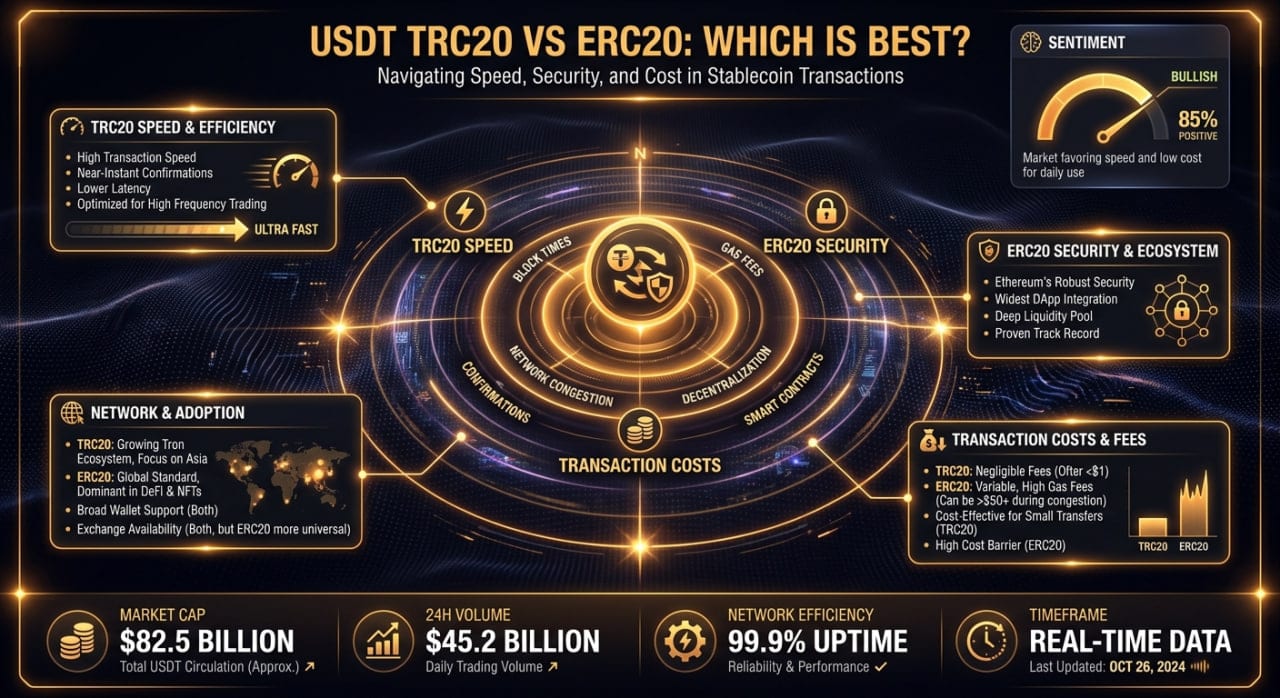
Unlike Bitcoin or Ethereum, the Tron blockchain relies on a dual-resource model for network fees consisting of Bandwidth and Energy. Bandwidth dictates the physical size of your transaction in bytes, while Energy governs the computational complexity of the task. Transferring native TRX only consumes Bandwidth, which the network often provides a small amount of for free every day. However, interacting with smart contracts requires Energy.
TRC20 tokens, including stablecoins like USDT and USDC, are managed entirely by smart contracts. Every time you send a TRC20 token, you are essentially asking the Tron network computers to run a script that deducts a balance from your address and adds it to another. If your wallet does not hold staked Energy to cover this computation, the network automatically burns your liquid TRX balance to generate the required Energy on the fly.
The transaction halts if your TRX balance drops to zero mid-calculation, or if the transaction hits the maximum "Fee Limit" imposed by your self-custody wallet software. When this happens, the blockchain state reverts, meaning your USDT never leaves your wallet. Unfortunately, the network retains the TRX it already burned while attempting to process the math, leaving you with less TRX and an incomplete transfer.
The Hidden Cost of Fresh Deposit Addresses
Many crypto users are confused when a USDT transfer costs 14 TRX on Monday, but fails on Tuesday despite holding 20 TRX. This discrepancy comes down to the receiver's address state on the blockchain ledger. If you send a TRC20 token to a wallet that currently holds a balance of that specific token, the smart contract simply updates an existing data entry. This is a computationally light process that requires roughly 32,000 to 65,000 Energy.
If you send that same token to a brand new address, or an address with a zero balance of that specific TRC20 token, the computational cost skyrockets. The smart contract must initialize a completely new storage slot on the blockchain to track this new user. This heavier operation consumes anywhere from 65,000 to over 100,000 Energy, effectively doubling the TRX burn requirement.
This dynamic is exactly why transfers to instant swap services frequently stall. Understanding how the swap process works on non-custodial platforms like MistySwap means understanding privacy mechanics. To protect your transaction history, these services generate a fresh, single-use deposit address for every single swap. Because these addresses are completely blank, the Tron network hits your wallet with the maximum possible initialization fee when you send your deposit.
Wallet Fee Limits and Manual Adjustments
Another common culprit behind these failures is your wallet software itself. Wallets like Ledger Live, Trust Wallet, and Exodus hardcode a "Fee Limit" into your transaction broadcasts. The Fee Limit acts as a safety mechanism, dictating the absolute maximum amount of TRX the smart contract is allowed to burn before the wallet forces a shutdown.
Sometimes, Tron's Super Representatives vote to increase network energy costs [HUMAN VERIFY: Check recent Tron proposal data for energy cost adjustments]. When network parameters change, your wallet software might take weeks to issue an update with higher default Fee Limits. If your wallet sets a Fee Limit of 30 TRX, but the network requires 45 TRX to initialize a new USDT address, your transfer will fail out of energy even if you have 1,000 TRX sitting in your available balance.
To bypass this, advanced users utilize wallet interfaces like TronLink, which allow manual adjustment of the Fee Limit parameter. By manually increasing the Fee Limit cap to 100 or 150 TRX, you give the network permission to burn whatever is necessary to push the transaction through. You will only be charged the actual computational cost; the higher limit simply prevents artificial transaction throttling.
Steps to Fix a TRC20 Transfer Failed Out of Energy Error
If your transaction has already reverted, you cannot recover the burned TRX. Follow these steps to ensure your next broadcast clears the blockchain successfully without wasting further funds:
- Look up your failed transaction hash on Tronscan to confirm the specific error was "OUT_OF_ENERGY" and note the amount of TRX consumed.
- Acquire an additional 50 to 100 TRX and deposit it into the exact self-custody wallet attempting the transfer.
- Access your wallet's advanced transaction settings and verify the "Fee Limit" is set to at least 150 TRX (or roughly 1,000,000 Energy).
- Initiate a new transfer of your TRC20 tokens, sending them to the exact same destination address you attempted previously.
Managing TRX Balances for Frequent Swaps
Privacy-conscious users who transact frequently face a choice between burning liquid TRX or staking for free resources. You can freeze TRX on the network to obtain a daily allocation of Energy, allowing you to send TRC20 tokens without burning fees. However, fully subsidizing a single blank-address USDT transfer currently requires freezing thousands of TRX, locking those funds up for a minimum of three days.
For the average self-custody user executing occasional cross-chain trades, holding a buffer of liquid TRX is far more capital efficient than maintaining a massive staked balance. If you find your wallet drained of gas after a few failed attempts, it is often practical to swap BTC to TRX directly into your sending wallet. Maintaining a permanent, dedicated buffer of 150 to 200 TRX ensures you never hit an energy wall when time is critical.
FAQ
Why did Tron take my TRX if the transfer failed?
Miners on the Tron network expend computational power attempting to execute your smart contract instructions. Once your TRX balance depletes mid-calculation, the network halts the operation to prevent infinite loops. The consumed TRX pays the network nodes for the computational work already performed up to the exact moment of failure.
Can I recover the TRX lost to a failed energy transaction?
No, TRX burned for smart contract execution is permanently removed from your wallet balance and often burned from the total circulating supply. Blockchain transactions are strictly immutable. Network nodes do not issue refunds for computational work, regardless of whether the final smart contract execution succeeded or failed.
Do TRC10 tokens also run out of energy?
No, TRC10 tokens are native assets built directly into the Tron blockchain architecture and do not rely on smart contracts. Transferring a TRC10 token only consumes Bandwidth, making them significantly cheaper and less complex to send than TRC20 tokens like USDT or USDC.
Does the receiving wallet pay any energy fees?
In standard Tron transactions, the sender covers all Energy and Bandwidth costs required to broadcast and execute the transfer. While smart contract creators can technically choose to subsidize energy for their users through a mechanism called fee delegation, this is incredibly rare for standard USDT transfers to personal wallets or exchange deposit addresses.
Informational only — not financial, legal, or tax advice.