Monero Wallet Not Showing Balance? Quick Fix
If you recently completed a crypto swap and your monero wallet not showing balance, your funds are rarely lost. Unlike transparent blockchains where balances update instantly, Monero requires your wallet to privately scan the entire blockchain to find your transaction. Your local software simply needs time to synchronize with the network and decrypt the blocks using your private view key.
Why Your Monero Wallet Is Not Showing a Balance
When you send Bitcoin or Ethereum, the transaction data is public. Your wallet simply asks a public block explorer for the balance associated with your address. Monero works entirely differently by design. To protect your privacy, Monero uses stealth addresses and Ring Confidential Transactions (RingCT), meaning nobody can look up your address on a public ledger to see what you own.
Because there is no public record of your balance, your wallet software must manually check every single transaction on the network. It uses your private view key to try and decrypt incoming transfers. If the decryption succeeds, the wallet knows that transaction belongs to you and updates your local balance. This scanning process requires significant computing power and time, which is why your balance appears as zero until the software catches up to the block containing your transfer.
How to Fix a Monero Wallet Not Showing Balance
If your transfer is confirmed on the network but invisible in your interface, you usually just need to force the wallet to rescan. Follow these exact steps to restore your balance display:
- Verify your wallet is fully connected to a functioning remote or local node.
- Check the transaction hash on a Monero block explorer using your private view key to confirm it was actually mined.
- Navigate to your wallet's settings and locate the "Wallet creation height" or "Restore height" option.
- Change the restore height to a date or block number from roughly a week before you generated the receiving address.
- Trigger a wallet rescan or synchronize process.
- Leave the application open and prevent your device from going to sleep while the progress bar completes.
The Importance of Setting the Correct Restore Height
The restore height dictates exactly where on the blockchain your wallet begins its scanning process. The Monero blockchain contains millions of blocks dating back to 2014. If your restore height is set to zero, your device will attempt to download and scan a decade of network history. This can take days on a standard laptop and will make it seem like your funds are missing in the meantime.
By setting the restore height slightly before the creation date of your wallet, you instruct the software to ignore all older blocks. It will only scan the recent history where your transaction actually exists. Most modern clients like Cake Wallet or the official Monero GUI wallet attempt to set this automatically, but importing seed phrases often resets it to zero. Always write down your block creation height alongside your 25-word seed phrase so you can sync quickly in the future.
Swaps and Network Confirmations
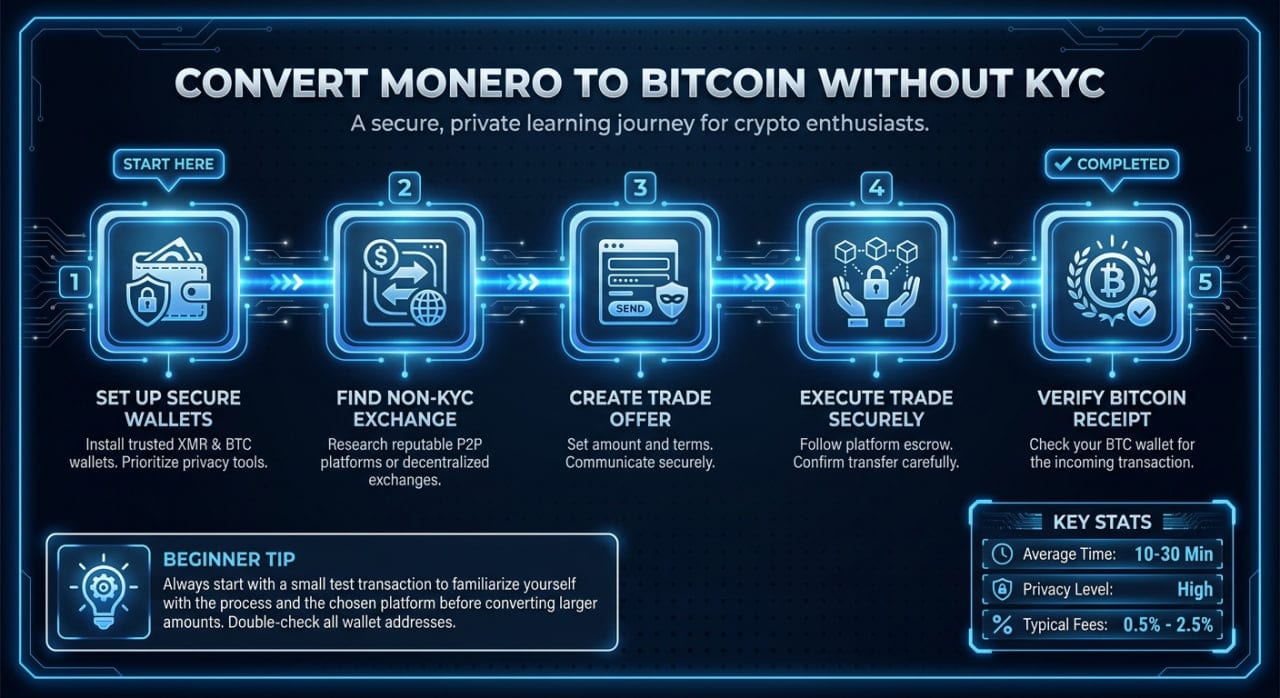
When utilizing non-custodial exchanges, users often expect their new asset to appear the second the trade executes. If you use a No-KYC platform like MistySwap, understanding how the swap process works helps clarify why there is a delay. The service dispatches your XMR immediately after receiving your deposit, but the Monero network still requires roughly two minutes to mine a new block.
Even after the block is mined, your wallet will wait for network confirmations. Most Monero wallets lock incoming funds for 10 blocks (approximately 20 minutes) to prevent chain reorganization issues. Your software might display the transaction as pending during this window. If you are used to swapping BTC to USDT or other transparent assets, these privacy-first mechanics require a slight adjustment in expectations.
What to Check if the Balance Remains at Zero
If your wallet finishes syncing and you still do not see your XMR, the issue usually lies with your node connection. A remote node is a server that connects you to the Monero network without requiring you to download the 150+ GB blockchain yourself. Sometimes, public remote nodes fall out of sync with the main network or get stuck on a specific block.
Switch your connection to a different, highly rated remote node and allow the wallet to rescan the recent blocks. Alternatively, verify that you provided the correct subaddress to the sender. If you accidentally provided an address from a different sub-account within your wallet, you will need to switch to that specific account profile in your interface to see the funds. You can read more about tracking swap statuses in our frequently asked questions.
FAQ
Do I need to keep my wallet open to receive Monero?
No. The Monero network operates independently of your local software. You can receive funds while your computer or phone is completely powered off. The delay only occurs when you open the wallet later and it has to scan the blockchain to catch up and display the new balance.
How long does it take for a Monero transaction to show up?
A standard Monero transaction takes about two minutes to be included in a block. However, for the funds to become unlocked and spendable, the network requires 10 confirmations. This usually takes exactly 20 minutes from the time the transaction is broadcast.
Can someone else see my Monero balance on a block explorer?
No, Monero's privacy features hide transaction amounts, sender addresses, and receiver addresses by default. Even if someone knows your public wallet address, they cannot look up your balance or transaction history on a block explorer. Only the person holding the private view key can decrypt this information.
What should I do if my remote node keeps dropping the connection?
Public remote nodes can experience heavy traffic or downtime, causing your sync progress to stall. To resolve this, go to your wallet's node settings and select a different public node from a reputable community list. If you transact frequently, running your own local node provides the most reliable and private connection.
Informational only — not financial, legal, or tax advice.